FRP rebar and strengthening
Design · closed form · rectangular section
A rectangular FRC or concrete beam reinforced with steel bars or with non-metallic bars (GFRP, BFRP, CFRP, AFRP) and strengthened with an externally bonded FRP laminate. Same closed-form engine as the hybrid module. Steel bars yield and harden; non-metallic bars are linear elastic to rupture; the laminate ruptures or debonds.
Formulation and limit states. Patel, D. D., Pleesudjai, C., Neithalath, N., and Mobasher, B. (2026). Limit-state based design of hybrid reinforced UHPC flexural beams using parametric modeling. Engineering Structures, 357, 122353. doi:10.1016/j.engstruct.2026.122353
What you need
- Beam span, section, cover, bar sizes and counts, loading arrangement.
- The matrix laws, imported from an inverse-analysis workbook or typed.
- The bar properties: for steel the modulus, yield strength, ultimate stress and ultimate strain; for a non-metallic bar the modulus and tensile strength.
- The laminate properties: width, ply thickness, number of plies, modulus, tensile strength, the substrate strain at bonding and, if used, a debonding strain limit.
Step 1 · Geometry
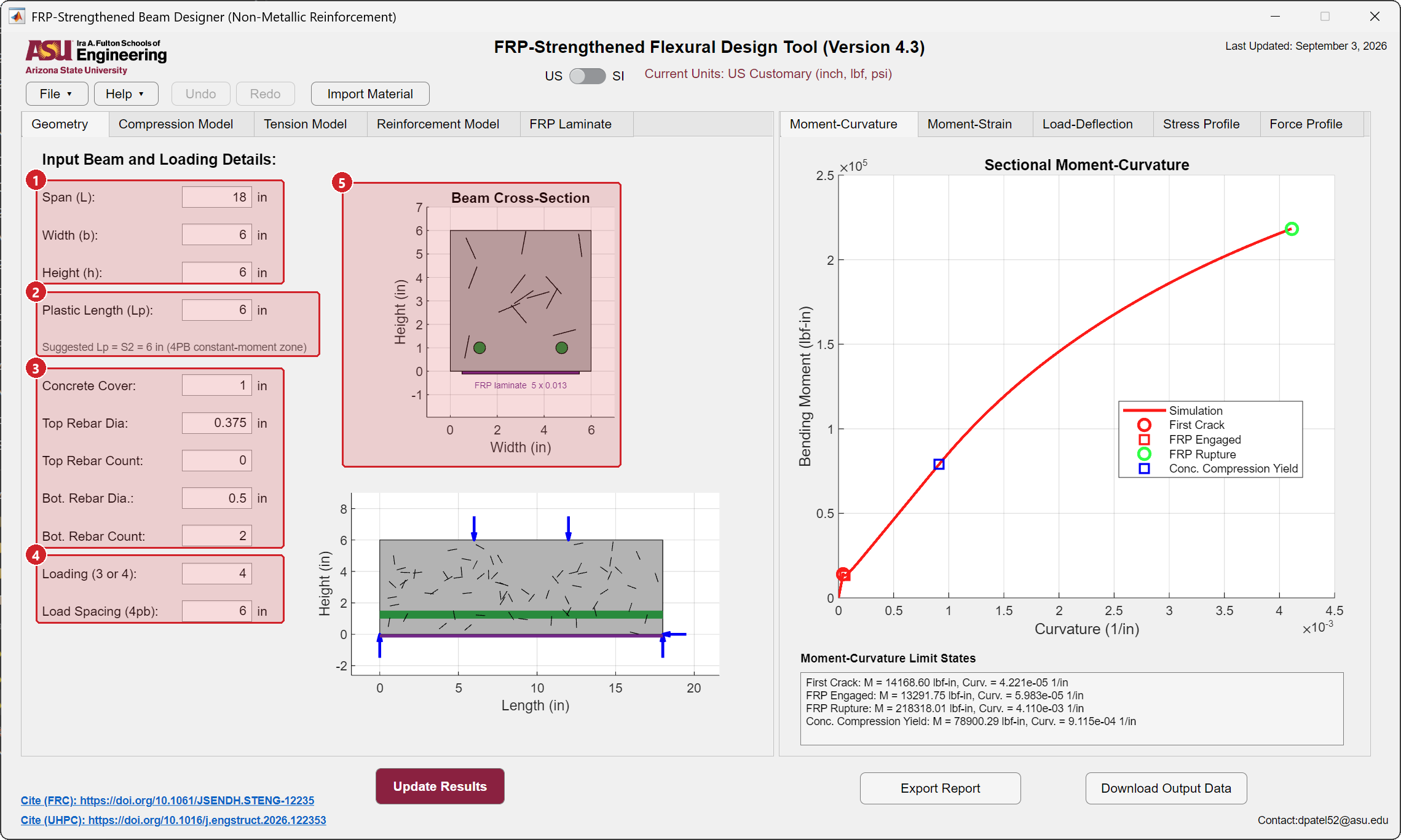
- Span, width and height.
- Plastic length and localization length, with the suggested \(L_p\). \(L_{p2}\) is the length over which the curvature localizes after the peak load, as in the Hybrid beam module.
- Cover and bars. Cover to the bar center, diameter and count of the top and bottom FRP bars. A count of 0 removes the layer.
- Loading and load spacing.
- Drawings. Bars in green, the laminate in purple with its width and total thickness printed.
Step 2 · Matrix laws
The Tension Model and Compression Model tabs and the Import Material button are identical to those of the Hybrid beam module.
Step 3 · Bars
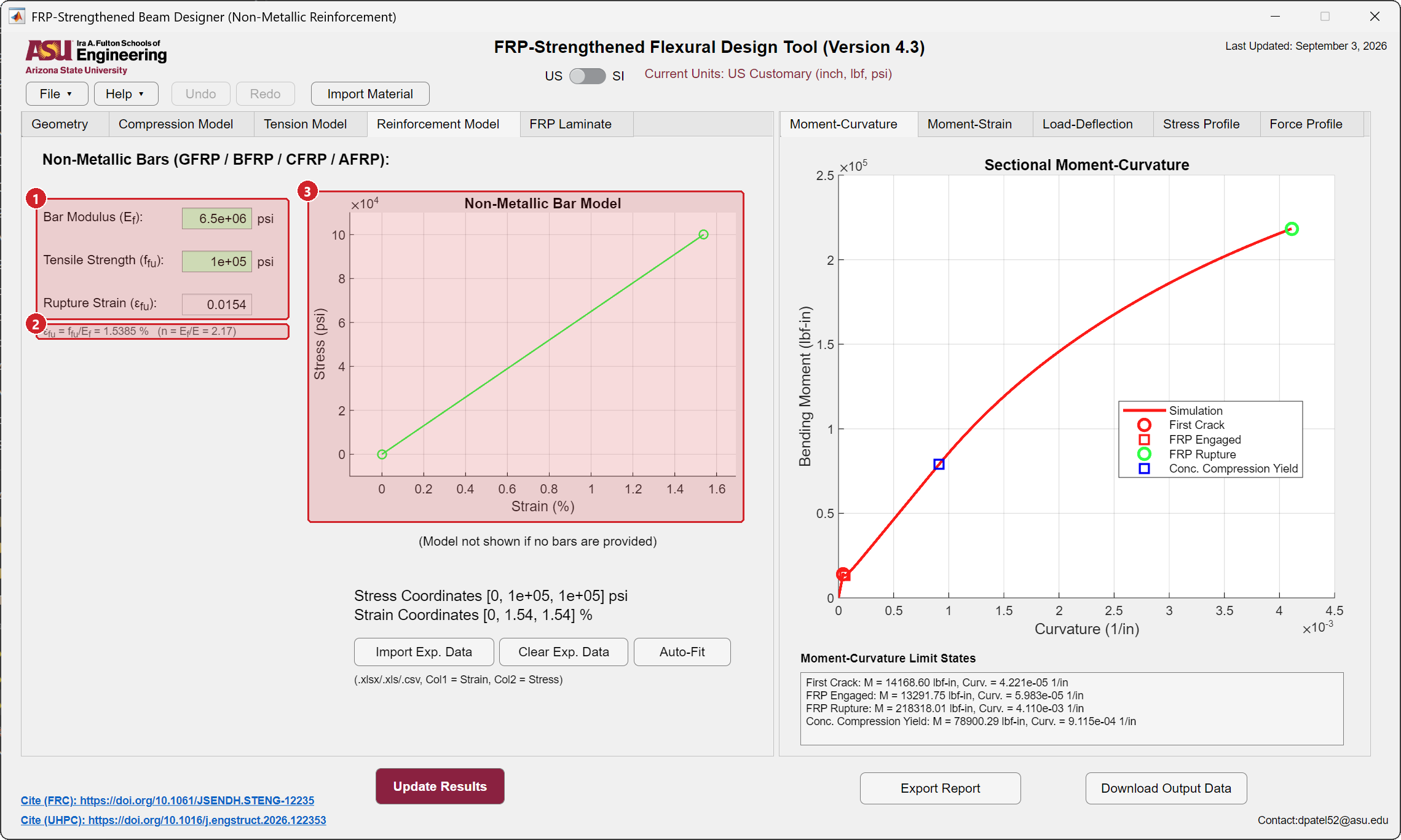
The Bar Type list at the top of the tab selects the bar law. Both laws run through the same section solver; the list changes which numbers you type and how the bar behaves once it reaches its ultimate strain. Switching back to non-metallic bars restores the non-metallic defaults when the steel numbers are untouched, and carries your own numbers across when you have typed them.
- Bar law. Non-metallic bars: modulus \(E_f\) and tensile strength \(f_{fu}\); the rupture strain is computed. Steel bars: modulus \(E_s\), yield strength \(f_{sy}\), ultimate stress \(f_{su}\) and ultimate strain \(\varepsilon_{su}\) (a fraction, 0.05 is 5 percent); \(f_{su} = f_{sy}\) gives a flat plateau.
- Derived values. Non-metallic: the rupture strain in percent and the modular ratio \(n = E_f/E\). Steel: the yield strain \(f_{sy}/E_s\), the hardening ratio \(f_{su}/f_{sy}\) and \(n = E_s/E\).
- The plot. A straight line to rupture, or a yield plateau with a hardening branch. Drag the vertices to change the law; for steel the end point also moves along the strain axis.
Limit states follow the bar type: Bottom Bar Rupture for a non-metallic bar; Bottom Steel Yield and Bottom Steel Ultimate, plus the service stress at 0.8 \(f_{sy}\), for steel. The report and the output workbook carry the same names.
The response ends where the first bar reaches its ultimate strain, because a broken bar carries no force. The moment-curvature and load-deflection curves stop on that marker and the limit-state box says so. For a non-metallic bar the ultimate strain is the rupture strain \(f_{fu}/E_f\), which is often small enough to govern the section, so the curve can be much shorter than the strain range asked for on the Tension Model tab.
Step 4 · FRP laminate
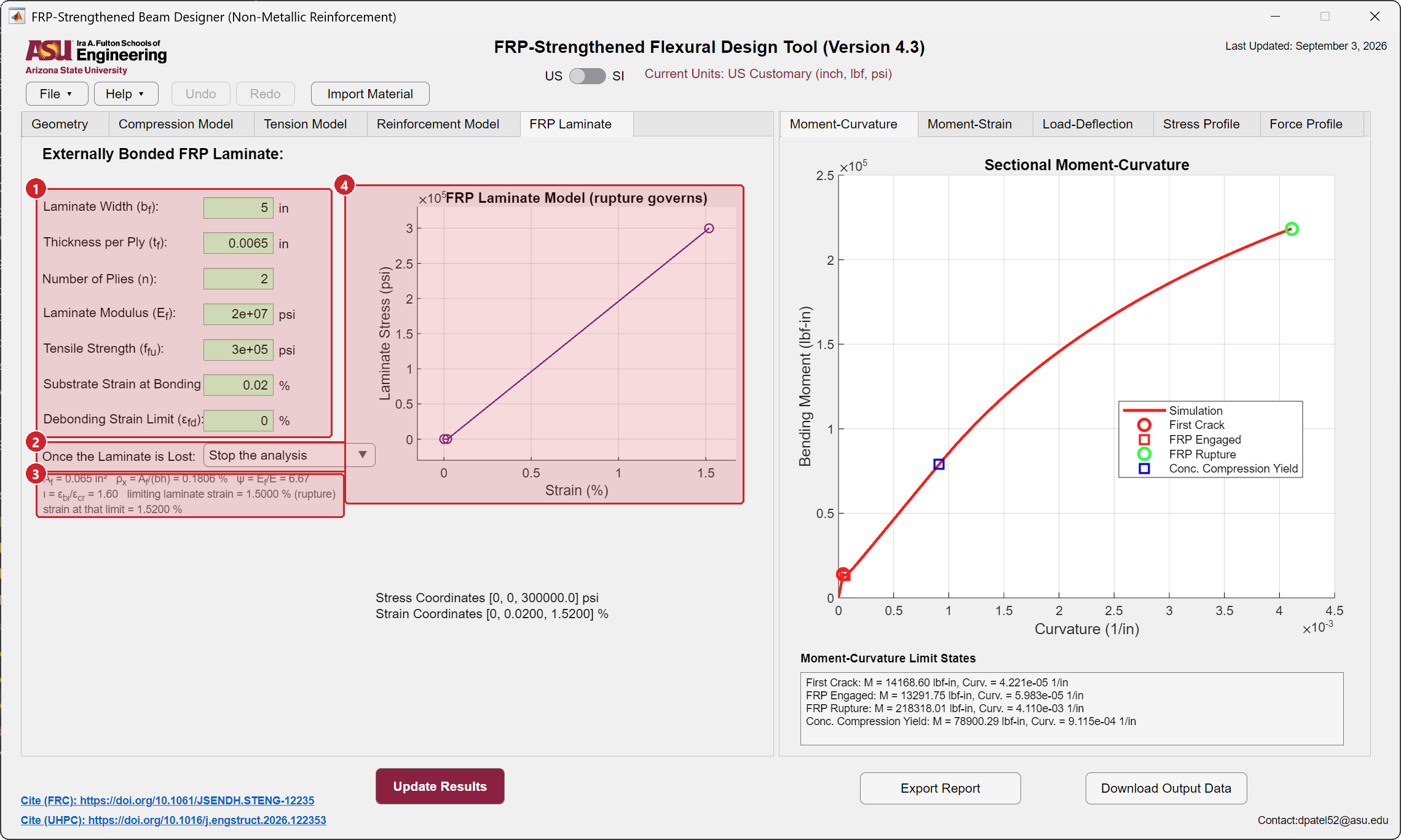
- Laminate properties. Width \(b_f\), thickness per ply \(t_f\), number of plies, modulus \(E_f\), tensile strength \(f_{fu}\), the substrate strain at the time of bonding (the strain already in the soffit from self weight when the laminate is applied), and the debonding strain limit. Enter 0 for the debonding limit to let rupture govern.
- Once the laminate is lost. What the analysis does after rupture or debonding: stop, or continue with the bars and fibers alone.
- Derived values. Laminate area, reinforcement ratio, modular ratio, the strain ratio at bonding and the limiting laminate strain with the mechanism that governs it.
- The plot. The laminate law offset by the substrate strain at bonding.
Step 5 · Update Results and read the limit states
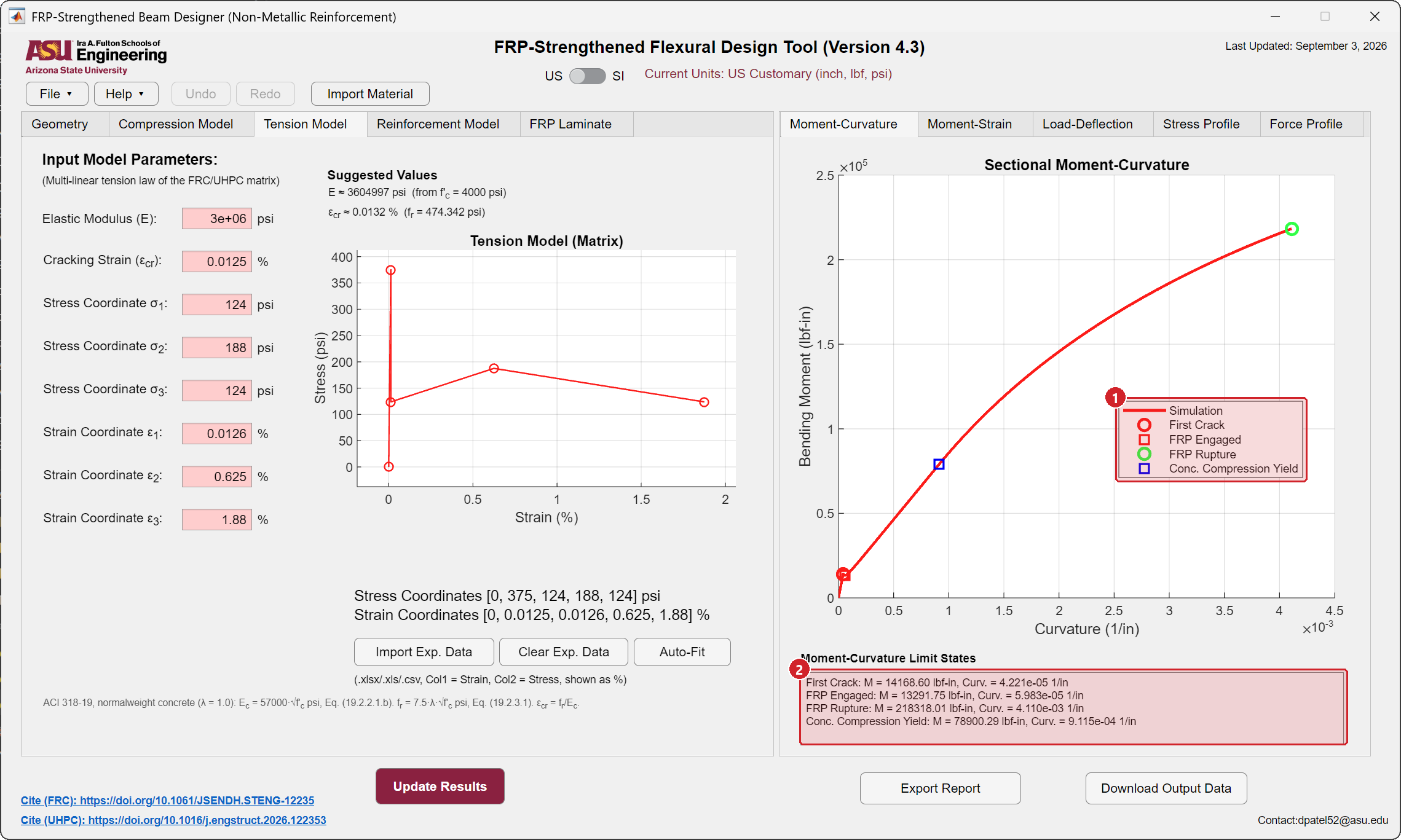
- Limit states. First crack, FRP engaged (the laminate starts carrying stress once the substrate strain at bonding is exceeded), FRP rupture or debonding, compression yield, and the bar states: rupture for a non-metallic bar, yield and ultimate for steel.
- Their values in the text box.
The Moment-Strain, Load-Deflection, Stress Profile and Force Profile tabs work as in the Hybrid beam module. The Force Profile shows the laminate force as a bar at the soffit.
Step 6 · Export and save
Export Report, Download Output Data and File → Save work as in every module.