Install and first launch
Getting started · 1 of 6
HRC Designer is a Windows desktop application compiled from MATLAB. It runs on the free MATLAB Runtime, so no MATLAB license is needed.
What you need
- Windows 10 or 11, 64-bit, and administrator rights for the one-time Runtime installation.
- An internet connection during installation. The installer downloads the MATLAB Runtime R2023a (about 2 GB) if it is not already on the computer.
- A screen of at least 1300 × 800 pixels. Each module opens as a fixed-size window.
Install
- Download the installer. The download button on hrcdesigner.com opens the ResearchGate listing for the software. Select the file named
HRC_installer_v43.exethere. If it is not available, write to dpatel52@asu.edu. - Start the installer. Windows may show a Microsoft Defender SmartScreen notice because the installer is not yet digitally signed. Click More info, then Run anyway.
- Accept the MATLAB Runtime download. If the Runtime R2023a is not installed, the installer fetches it from MathWorks and installs it. This is the long part. A machine that already has the Runtime skips it.
- Finish. Keep the default installation folder unless your IT policy says otherwise. A Start-menu entry named HRC Designer is created.
Why the SmartScreen notice appears
The notice is shown for any application that is not yet in the Microsoft software catalog. The installer is built directly by the developers at Arizona State University and contains no third-party components beyond the MATLAB Runtime.
First launch
Start HRC Designer from the Start menu. The first start takes longer than later ones because the Runtime unpacks the application. The module selector opens:
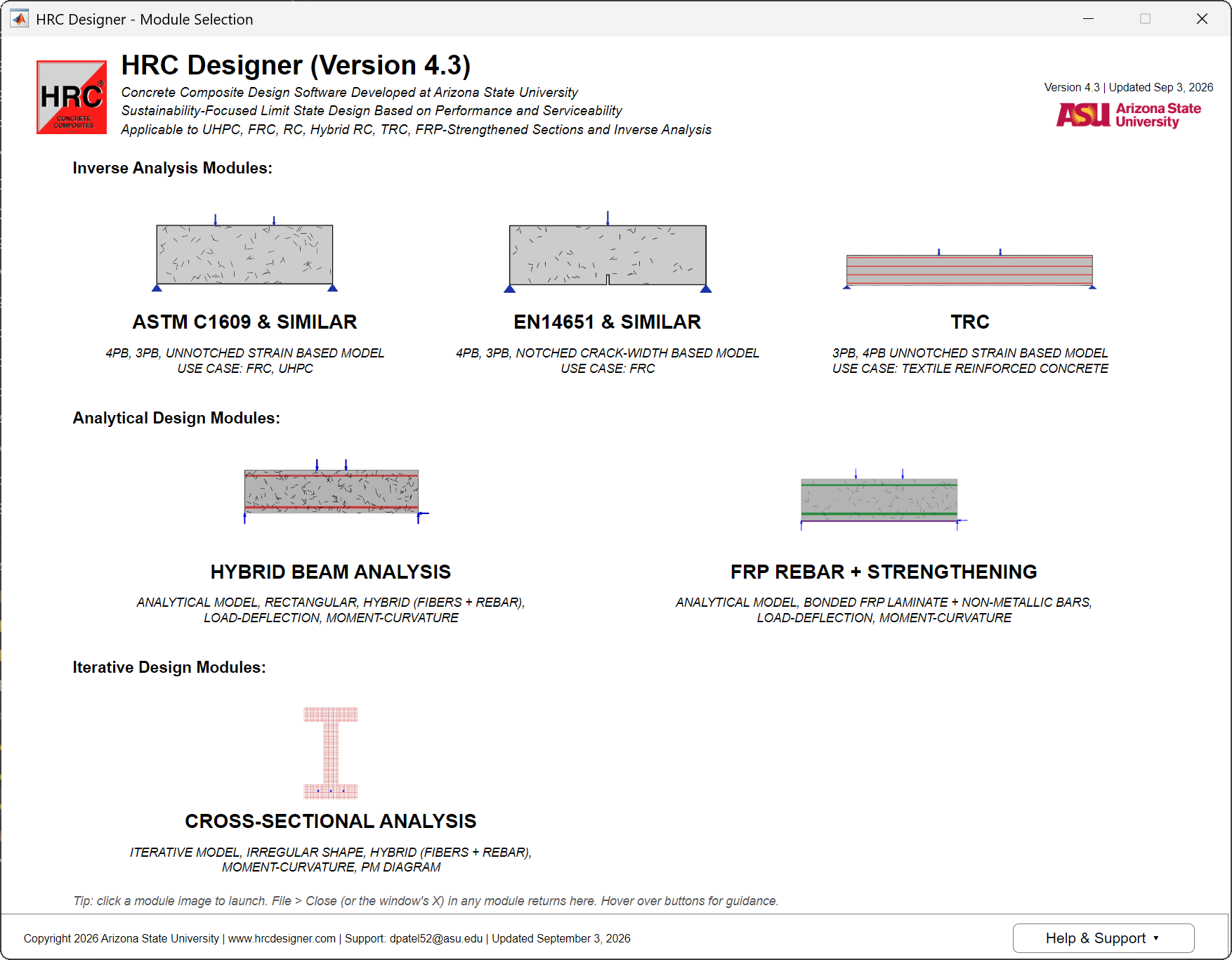
Go straight to Run your first example from here. It supplies an ASTM C1609 project file and takes it to a computed result, an exported report and a saved project, without any data of your own.
Update
Choose Help → Check for Updates in any module or in the selector. The software compares its version with the one published at hrcdesigner.com and tells you whether a newer installer exists. Download the new installer and run it. It replaces the previous version and keeps your project files.
Uninstall
Use Apps → Installed apps in Windows Settings and remove HRC Designer. The MATLAB Runtime is a separate entry and can stay if other software uses it.